
New VILNIUS TECH app for reading e-books

We would like to inform you that a new “Monk Windows Desktop App”, designed exclusively for the Windows operating system, has been launched on the ebooks.vilniustech.lt platform. The previously used Scholar App will no longer work on computers as of December 22.

To continue reading e-books without an internet connection, please follow these steps:

  • Remove the old Scholar App from your computer;
  • Clear your computer’s browsing history and delete the My WinOffline Books folder from Documents;
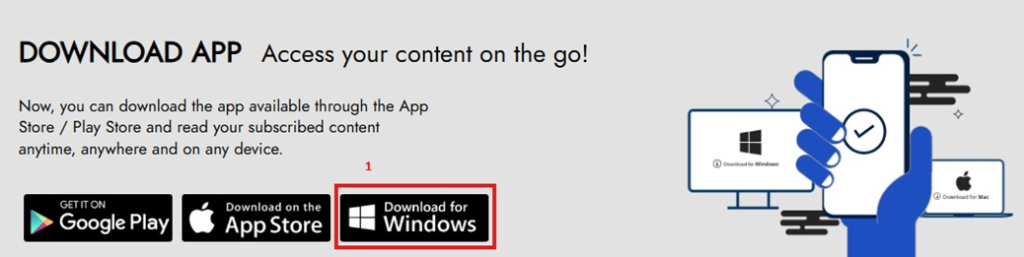
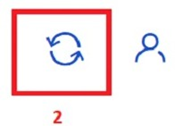
  • Install the latest version of the Monk Windows Desktop App (1), and after installation, log in to your personal account and synchronize so that e-books are available for reading offline (2).

Please note that this new feature is only available on computers running the Windows operating system.
More news

  • #

    EBSCO Online Learning course | 2025 January

    We invite you to register for the EBSCO Online Learning course in January, in English. What’s New on the EBSCO Platform: Citations, Abstracts, Author Profiles, Recommendations, and More Date: 20th January 2026 | Time: 1:30…

  • #

    New VILNIUS TECH app for reading e-books

    We would like to inform you that a new “Monk Windows Desktop App”, designed exclusively for the Windows operating system, has been launched on the ebooks.vilniustech.lt platform. The previously used Scholar App will no…

  • #

    Season’s greetings

    We sincerely congratulate the Vilnius College community on the holidays and thank you for your unity, curiosity, and pursuit of knowledge. May the coming year be full of inspiration, meaningful discoveries, and successful academic…